Showing posts with label Siemens Nx 10. Show all posts

Tuesday, May 4, 2021

Shock Absorber Assembly Designing (Siemens NX 10 Tutorial)

Serial No. 137

Shock Absorber Assembly Designing (Siemens NX 10 Tutorial)

In this tutorial, we will create sketching of 'Shock Absorber Assembly' in Siemens NX 10 software which is taken from our "Suspension Assembly". It will demonstrate that how to build its components and as well as that how to build the assembly by using the Assembly constraints. We have used 13 part files and 4 subassemblies to make this assembly.


download-Link


Click the following link to get the model file: - https://bit.ly/3ueoSXI


.........................................................................
Visit the following link to watch more tutorial on Siemens NX by us
https://www.youtube.com/playlist?list=PLKWX3xUP3pPpUvtPuzEPoHimjTjpdbl_Q
.........................................................................
Hope all of you enjoyed the tutorial. If you find the video useful please like it and share it with your friends/colleagues and do not forget to subscribe me to get latest updates about my new uploads….
http://www.youtube.com/user/nisheethsorjm?sub_confirmation=1
....................................................................................................
Dear Viewers if you like our work and wanted to support us, to keep continuing the good work, then become a patron of ours at ‘Patreon’ site. Patreon is a simple way for you to contribute to the creator’s work every month/ every time they release their new work and get rewards in return. Please visit the following link to know all about our work and what we are offering as the reward to our patrons…
https://www.patreon.com/nisheethsri
...............................................................…

Saturday, June 17, 2017

Crankshaft || Siemens NX Tutorial

Crankshaft-(1280x720)

Pattern Geometry (Non-associative) Move Object tool

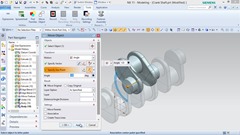
In this Siemens NX 10 Tutorial, we will create a model of Crankshaft. While creating this model we will learn how to create a Non-associative pattern so that we can modify patterned geometries without affecting others. To do so we will use Pattern Geometry and Move Object tool. Addition to this application of many 2D sketching, Extrude and Fillet Tools are also displayed.

download-Link


Visit the following link to get the model file…
http://bit.ly/2qWrrlA


....................................................................................

Visit the following link to watch more tutorial on Siemens NX by us

https://www.youtube.com/playlist?list=PLKWX3xUP3pPpUvtPuzEPoHimjTjpdbl_Q

.........................................................................

Hope all of you enjoyed the tutorial. If you find the video useful please like it and share it with you friends/colleagues and do not forget to subscribe me to get latest updates about my new uploads….

http://www.youtube.com/user/nisheethsorjm?sub_confirmation=1

Thursday, October 13, 2016

Chuck and Key || Siemens NX Tutorial

Chuck and Key -  Siemens Nx Tutorial

In this Siemens NX 10 Tutorial we will create a Chuck and Key Assembly. First we will create Chuck and Key parts and then assemble it. So viewers will learn following Part and Assembly Modeling topics:--

Part Modeling

1. Creating a new model file with specified units.

2. Basic Sketching

3. Extrude Tool

4. Revolve Tool

5. Swept Tool

6. Move Face

7. Trim Body

8. Pattern Tool

9. Hole Tool

10. Chamfer.

Assembly Modeling

1. Creating new assembly file with specified units.

2. Adding components in assembly and moving them.

3. Applying Assembly Constraints.

download-Link


Visit the following link to get the model file…
http://bit.ly/2JEDf2h


....................................................................................

Visit the following link to watch more tutorial on Siemens NX by us

https://www.youtube.com/playlist?list=PLKWX3xUP3pPpUvtPuzEPoHimjTjpdbl_Q

.........................................................................

Hope all of you enjoyed the tutorial. If you find the video useful please like it and share it with you friends/colleagues and do not forget to subscribe me to get latest updates about my new uploads….

http://www.youtube.com/user/nisheethsorjm?sub_confirmation=1

Friday, March 18, 2016

Piston || Siemens NX Beginners Tutorials

Piston 1280x720

In this tutorial we will create a model of ‘Piston’ to learn the basics of part modeling in the Siemens NX software.

The tutorial covers following topics….

•Creating a New Part

•Creating an Extrusion

•Removing Material

•Creating Edge Blend

•Creating Datum Plane

•Creating Sketches

•Creating Extrusions Using the Sketches

•Mirroring Extrudes

•Creating Holes

•Creating Edge Blend

•Creating a Revolve

•Creating Patterns

•Finalizing the Piston

The concept of the tutorial has been taken from the online Help Center of PTC Creo Parametric.

download-Link


Visit the following link to get the model file…
http://bit.ly/2N5GsKl