Showing posts with label SolidWorks 2017 Tutorial. Show all posts

Sunday, June 12, 2022

Design a ‘BMW RIM’ in SolidWorks 2017 Tutorial


Capture1

Capture2

Capture3

Capture4


Serial No. 252

Design a ‘BMW RIM’ in SolidWorks 2017 Tutorial

Hello Viewers, Today we will create a model 'BMW RIM' in SolidWorks. This video will be very important for you because today I will tell you how you can easily make this model with the help of Solid Features commands like Revolved Boss/Base with thin feature option, Revolved Cut, Circular Pattern, Fillet and Combine tools. At last, I will place a BMW Logo over its small cover of the Rim under the Edit Appearance by using the Mapping option. You will also learn how to use the Spline Curve in the 2D sketching environment. At all the sure, you will definitely see this video till the end.

I hope you will like this tutorial.


Click the following link to get the model file: - https://bit.ly/3aWbbrL


....................................................................................
Visit the following link to watch the basic tutorial on SolidWorks by us
https://www.youtube.com/playlist?list=PLb-IhKRMYSES3Zw3QHmQVqQ-rcFVzgYHy
.........................................................................
To watch more detailed tutorials on the same software visit the following link
https://www.youtube.com/playlist?list=PLKWX3xUP3pPo77gFCyy669sI76qJa5jKw
...................................................................................
Hope all of you enjoyed the tutorial. If you find the video useful please like it and share it with your friends/colleagues and do not forget to subscribe us to get latest updates about our new uploads.
http://www.youtube.com/user/nisheethsorjm?sub_confirmation=1
....................................................................................................
Dear Viewers if you like our work and wanted to support us, to keep continuing the good work, then become a patron of ours at ‘Patreon’ site. Patreon is a simple way for you to contribute to the creator’s work every month/ every time they release their new work and get rewards in return. Please visit the following link to know all about our work and what we are offering a reward to our patrons…
https://www.patreon.com/nisheethsri
...................................................................................................................................

Friday, May 20, 2022

SolidWorks Surface Modelling 2017 Tutorial || Design a Steel Spoon

Steel_Spoon_1

Steel_Spoon_2

Serial No. 251

SolidWorks Surface Modelling 2017 Tutorial || Design a Steel Spoon

Hello Viewers, Today we will Design a model 'Steel Spoon' with Surface Features in SolidWorks. This video is going to be very important for you because today I will tell you how you can easily make this model with the help of surface tools like "Boundary Surface", "Lofted Surface" and at last, all the surfaces will be converted into a single surface by using the "Knit Surface" command after creating this we will give the Thickness by using the Thicken tool. I hope you will like this tutorial.


Click the following link to get the model file: - https://bit.ly/3lsHEIk


....................................................................................
Visit the following link to watch the basic tutorial on SolidWorks by us
https://www.youtube.com/playlist?list=PLb-IhKRMYSES3Zw3QHmQVqQ-rcFVzgYHy
.........................................................................
To watch more detailed tutorials on the same software visit the following link
https://www.youtube.com/playlist?list=PLKWX3xUP3pPo77gFCyy669sI76qJa5jKw
...................................................................................
Hope all of you enjoyed the tutorial. If you find the video useful please like it and share it with your friends/colleagues and do not forget to subscribe us to get latest updates about our new uploads.
http://www.youtube.com/user/nisheethsorjm?sub_confirmation=1
....................................................................................................
Dear Viewers if you like our work and wanted to support us, to keep continuing the good work, then become a patron of ours at ‘Patreon’ site. Patreon is a simple way for you to contribute to the creator’s work every month/ every time they release their new work and get rewards in return. Please visit the following link to know all about our work and what we are offering a reward to our patrons…
https://www.patreon.com/nisheethsri
...................................................................................................................................

Tuesday, May 3, 2022

Four Cylinder Engine Assembly || SolidWorks 2017 Tutorial


Four Cylinder Engine


Serial No. 250

Four Cylinder Engine Assembly || SolidWorks 2017 Tutorial

Dear Viewers, Today we will design 'Four-Cylinder Engine Assembly' in SolidWorks 2017. This Assembly tutorial covers topics from Solidworks Basics like 2-D sketching and part modeling. The model contains 6 parts like a Crankshaft, Connecting Rod, Piston, etc., and 1 Assembly. First, we create the Crankshaft then later each component is created individually with no relation to each other which you can term the Bottom-up designing process. In this process, the first parts are designed individually, and afterward, all parts are inserted into the assembly by using the assembly constraints. When the parts have been modified the changes also appear in the assembly.


Click the following link to get the model file: - https://bit.ly/3kzQ14d


....................................................................................
Visit the following link to watch the basic tutorial on SolidWorks by us
https://www.youtube.com/playlist?list=PLb-IhKRMYSES3Zw3QHmQVqQ-rcFVzgYHy
.........................................................................
To watch more detailed tutorials on the same software visit the following link
https://www.youtube.com/playlist?list=PLKWX3xUP3pPo77gFCyy669sI76qJa5jKw
...................................................................................
Hope all of you enjoyed the tutorial. If you find the video useful please like it and share it with your friends/colleagues and do not forget to subscribe us to get latest updates about our new uploads.
http://www.youtube.com/user/nisheethsorjm?sub_confirmation=1
....................................................................................................
Dear Viewers if you like our work and wanted to support us, to keep continuing the good work, then become a patron of ours at ‘Patreon’ site. Patreon is a simple way for you to contribute to the creator’s work every month/ every time they release their new work and get rewards in return. Please visit the following link to know all about our work and what we are offering a reward to our patrons…
https://www.patreon.com/nisheethsri
...................................................................................................................................
Saturday, April 30, 2022

Piston Assembly Designing (SolidWorks 2017 Tutorial)

Serial No. 248

Piston Assembly Designing (SolidWorks 2017 Tutorial)

Hi Viewers, Today we will design a model 'Piston' in SolidWorks 2017. In this video, you will learn the full modelling process of this model, at the end of this video It would be placed in the Connecting Rod Assembly.

This Video will cover:-

1. Create basic 2D sketches on different work planes like Front, Top and Right with the help of Line, Circle, Rectangle and 3 Point Arc tools etc.

2. Create a solid feature by using the Extrude Boss/Base, Extruded Cut, Revolve Boss/Base, Revolve Cut, Fillet, Mirror Feature and Chamfer commands.

3. Place the part in Assembly by using the Insert Components. 4. Use the 'Mate' command to position two components relative to one another by using such as Coincident Mate, Concentric mates etc.

Hope all of you enjoyed the tutorial.


Click the following link to get the model file: - https://bit.ly/3KAbbtw


....................................................................................
Visit the following link to watch the basic tutorial on SolidWorks by us
https://www.youtube.com/playlist?list=PLb-IhKRMYSES3Zw3QHmQVqQ-rcFVzgYHy
.........................................................................
To watch more detailed tutorials on the same software visit the following link
https://www.youtube.com/playlist?list=PLKWX3xUP3pPo77gFCyy669sI76qJa5jKw
...................................................................................
Hope all of you enjoyed the tutorial. If you find the video useful please like it and share it with your friends/colleagues and do not forget to subscribe us to get latest updates about our new uploads.
http://www.youtube.com/user/nisheethsorjm?sub_confirmation=1
....................................................................................................
Dear Viewers if you like our work and wanted to support us, to keep continuing the good work, then become a patron of ours at ‘Patreon’ site. Patreon is a simple way for you to contribute to the creator’s work every month/ every time they release their new work and get rewards in return. Please visit the following link to know all about our work and what we are offering a reward to our patrons…
https://www.patreon.com/nisheethsri
...................................................................................................................................
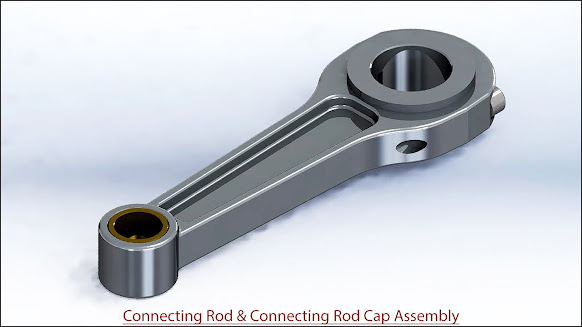
Connecting Rod and Connecting Rod Cap Assembly (SolidWorks 2017 Tutorial)

Serial No. 247

Connecting Rod and Connecting Rod Cap Assembly (SolidWorks 2017 Tutorial)

Hi Viewers, Today we will design two models 'Connecting Rod and Connecting Rod Cap' in SolidWorks 2017. In this video, you will learn the full modelling process of these models and afterwards, we will place components in the Assembly.

This Video will cover:

1. Create basic 2D sketches on different work planes like Front, Top and Right with the help of Line, Circle, and Rectangle tools.

2. Create a solid feature by using the Extrude Boss/Base, Extruded Cut, Revolve Boss/Base, Swept Cut, Fillet, Hole, Mirror Feature and Chamfer commands.

Hope all of you enjoyed the tutorial.


Click the following link to get the model file: - https://bit.ly/3vFShMs


....................................................................................
Visit the following link to watch the basic tutorial on SolidWorks by us
https://www.youtube.com/playlist?list=PLb-IhKRMYSES3Zw3QHmQVqQ-rcFVzgYHy
.........................................................................
To watch more detailed tutorials on the same software visit the following link
https://www.youtube.com/playlist?list=PLKWX3xUP3pPo77gFCyy669sI76qJa5jKw
...................................................................................
Hope all of you enjoyed the tutorial. If you find the video useful please like it and share it with your friends/colleagues and do not forget to subscribe us to get latest updates about our new uploads.
http://www.youtube.com/user/nisheethsorjm?sub_confirmation=1
....................................................................................................
Dear Viewers if you like our work and wanted to support us, to keep continuing the good work, then become a patron of ours at ‘Patreon’ site. Patreon is a simple way for you to contribute to the creator’s work every month/ every time they release their new work and get rewards in return. Please visit the following link to know all about our work and what we are offering a reward to our patrons…
https://www.patreon.com/nisheethsri
...................................................................................................................................

Friday, April 22, 2022

Caterpillar Tractor Piston SolidWorks_2017_Tutorial

Serial No. 246

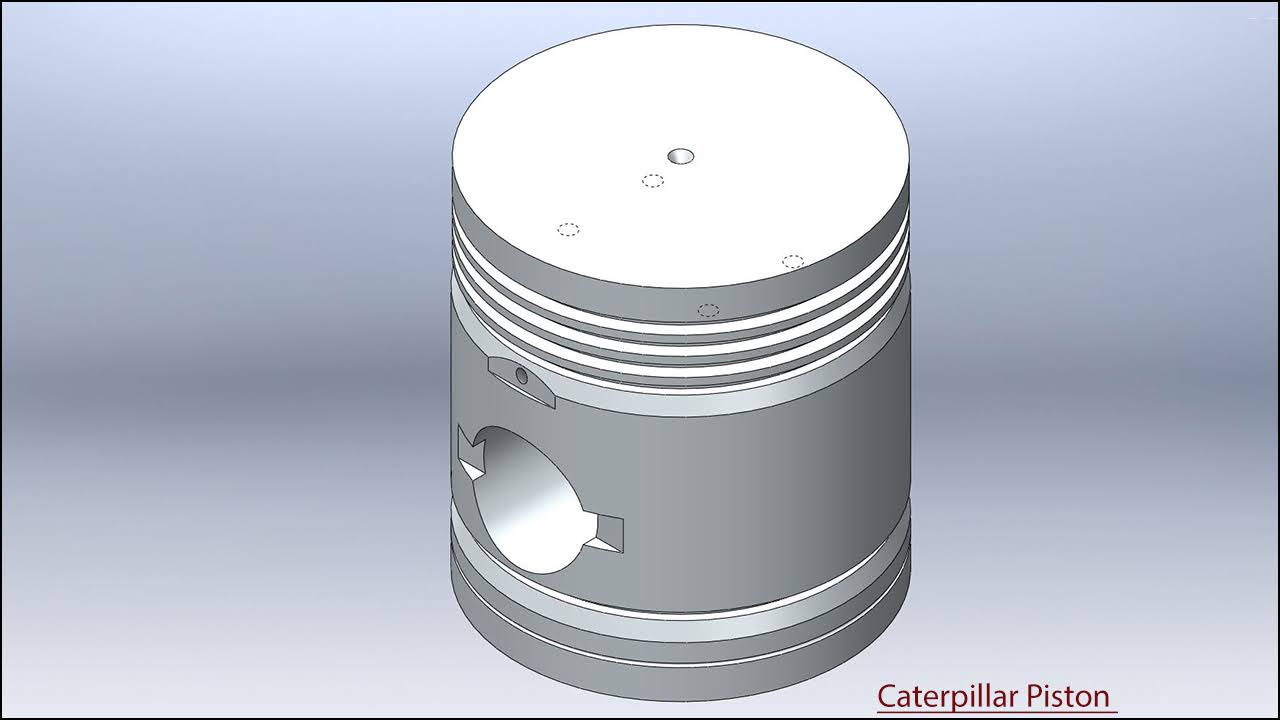
Caterpillar Tractor Piston SolidWorks_2017_Tutorial

Hi Viewers, Today we will create a model 'Caterpillar Tractor Piston' in SolidWorks 2017. In this video, you will learn the full modelling process of this model. Create basic 2D sketches on different work-planes like Front, Top and Right with the help of Line, Circle, and Rectangle tools and after this create a solid feature by using the Extrude Boss/Base, Extruded Cut, Revolve Boss/Base, Swept Cut, Fillet, Hole, Mirror Feature and Chamfer commands. Hope all of you enjoyed the tutorial.


Click the following link to get the model file: - https://bit.ly/37CYoJs


....................................................................................
Visit the following link to watch the basic tutorial on SolidWorks by us
https://www.youtube.com/playlist?list=PLb-IhKRMYSES3Zw3QHmQVqQ-rcFVzgYHy
.........................................................................
To watch more detailed tutorials on the same software visit the following link
https://www.youtube.com/playlist?list=PLKWX3xUP3pPo77gFCyy669sI76qJa5jKw
...................................................................................
Hope all of you enjoyed the tutorial. If you find the video useful please like it and share it with your friends/colleagues and do not forget to subscribe us to get latest updates about our new uploads.
http://www.youtube.com/user/nisheethsorjm?sub_confirmation=1
....................................................................................................
Dear Viewers if you like our work and wanted to support us, to keep continuing the good work, then become a patron of ours at ‘Patreon’ site. Patreon is a simple way for you to contribute to the creator’s work every month/ every time they release their new work and get rewards in return. Please visit the following link to know all about our work and what we are offering a reward to our patrons…
https://www.patreon.com/nisheethsri
...................................................................................................................................

Friday, January 15, 2021

Arbor Press (SolidWorks 2017 Tutorial)

Serial No. 243

Arbor Press (SolidWorks 2017 Tutorial)

We have added the audio on this video so that you can understand it this video more easily. This Solidworks Assembly tutorial which also covers topics from Solidworks Basics like sketching and part modelling display a creation process of an assembly named ‘Arbor Press’. The model contains 10 part files. First, we create the Arbor frame then later each component is created individually with no relation to each other which you can term Bottom-up designing process. In this process, first parts are designed individually then inserted into the assembly and setup by using the mates. When the parts have modified the changes also appear in the assembly.


Click the following link to get the model file: -http://bit.ly/2KiI9FR


....................................................................................
Visit the following link to watch the basic tutorial on SolidWorks by us
https://www.youtube.com/playlist?list=PLb-IhKRMYSES3Zw3QHmQVqQ-rcFVzgYHy
.........................................................................
To watch more detailed tutorials on the same software visit the following link
https://www.youtube.com/playlist?list=PLKWX3xUP3pPo77gFCyy669sI76qJa5jKw
...................................................................................
Hope all of you enjoyed the tutorial. If you find the video useful please like it and share it with your friends/colleagues and do not forget to subscribe us to get latest updates about our new uploads.
http://www.youtube.com/user/nisheethsorjm?sub_confirmation=1
....................................................................................................
Dear Viewers if you like our work and wanted to support us, to keep continuing the good work, then become a patron of ours at ‘Patreon’ site. Patreon is a simple way for you to contribute to the creator’s work every month/ every time they release their new work and get rewards in return. Please visit the following link to know all about our work and what we are offering a reward to our patrons…
https://www.patreon.com/nisheethsri
...................................................................................................................................
Monday, December 14, 2020

Suspension Spring (SolidWorks 2017 Tutorial)


Serial No. 242

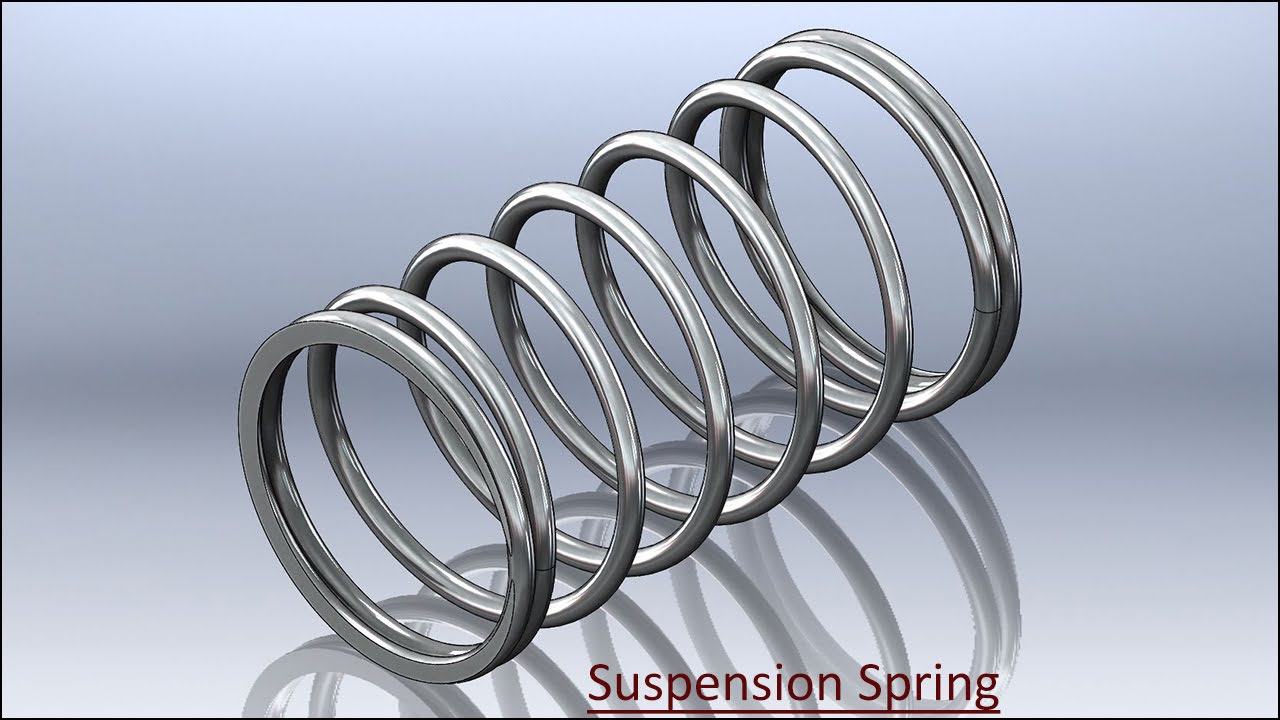
Suspension Spring (SolidWorks 2017 Tutorial)

Today we will create a model 'Suspension Spring' in SolidWorks. Which is taken of our model Suspension Assembly. Full assembly video link is on here:- https://youtu.be/6ukIfhEjlNw


Click the following link to get the model file: - https://bit.ly/37dg9Mi


....................................................................................
Visit the following link to watch the basic tutorial on SolidWorks by us
https://www.youtube.com/playlist?list=PLb-IhKRMYSES3Zw3QHmQVqQ-rcFVzgYHy
.........................................................................
To watch more detailed tutorials on the same software visit the following link
https://www.youtube.com/playlist?list=PLKWX3xUP3pPo77gFCyy669sI76qJa5jKw
...................................................................................
Hope all of you enjoyed the tutorial. If you find the video useful please like it and share it with your friends/colleagues and do not forget to subscribe us to get latest updates about our new uploads.
http://www.youtube.com/user/nisheethsorjm?sub_confirmation=1
....................................................................................................
Dear Viewers if you like our work and wanted to support us, to keep continuing the good work, then become a patron of ours at ‘Patreon’ site. Patreon is a simple way for you to contribute to the creator’s work every month/ every time they release their new work and get rewards in return. Please visit the following link to know all about our work and what we are offering a reward to our patrons…
https://www.patreon.com/nisheethsri
...................................................................................................................................

Monday, February 17, 2020

Screw Gauge Modelling with Animation (Volume-1) SolidWorks 2017 Tutorial

Serial No. 230-A

Screw Gauge Modelling with Animation (Volume-1) SolidWorks 2017 Tutorial

(Rest of the model is designed in Volume-2 & 3)

Dear Viewers, in this video we will show how to build the 'Screw Gauge' assembly in SolidWorks 2017 Software. This model contains two Subassemblies first Frame subassembly and second Thimble subassembly. Eleven-part files like Frame1, Anvil, Barrel1, Thimble, Plate1, Stem1, Washer, Spindle, Screw etc. will be used to build this model. Hope you will enjoy this tutorial. At the end of this video, we will display how to simulate this model in motion study environment by giving the 'Screw' & 'Distance' mate command. Please subscribe to our channel to get the latest updates and share this video their friends and colleagues.


Click the following link to get the model file: - http://bit.ly/2OW8jNC


Procedure of reading of Screw Gauge

Total number of divisions imprinted on Circular scale (in one round) = 25

Total number of divisions imprinted on Linear scale = 40

Pitch of Linear scale = total length of Linear scale/total number of divisions imprinted on Linear scale
= 25.4mm/40 = 0.635mm

Least count of Circular scale = Pitch of Linear scale/total number of divisions imprinted on Circular scale
= 0.635mm/25 = 0.0254mm

Reading of Linear scale = Pitch of Linear scale x Number of divisions opened on Linear scale
= 0.635mm x 4 = 2.54mm

Reading of Circular scale = Least count of Circular scale x Number of divisions
ahead of central line of Linear scale
= 0.0254mm x 2 = 0.0508mm

Total Reading = Reading of Linear scale + Reading of Circular scale
= 2.54mm + 0.0508mm = 2.5908mm

……………………………………………………………………………………………………………………………………………………

Our motive to upload this video is to show our workability/experience and to share our knowledge with the viewers and learners.
...........................................................................................
Visit the following link to watch the basic tutorial on SolidWorks by us
https://www.youtube.com/playlist?list=PLb-IhKRMYSES3Zw3QHmQVqQ-rcFVzgYHy
.........................................................................
To watch more detailed tutorials on the same software visit the following link
https://www.youtube.com/playlist?list=PLKWX3xUP3pPo77gFCyy669sI76qJa5jKw
...................................................................................
Hope all of you enjoyed the tutorial. If you find the video useful please like it and share it with your friends/colleagues and do not forget to subscribe us to get latest updates about our new uploads.
http://www.youtube.com/user/nisheethsorjm?sub_confirmation=1
....................................................................................................
Dear Viewers if you like our work and wanted to support us, to keep continuing the good work, then become a patron of ours at ‘Patreon’ site. Patreon is a simple way for you to contribute to the creator’s work every month/ every time they release their new work and get rewards in return. Please visit the following link to know all about our work and what we are offering a reward to our patrons…
https://www.patreon.com/nisheethsri

Screw Gauge Modelling with Animation (Volume-2) SolidWorks 2017 Tutorial

Serial No. 230-B

Screw Gauge Modelling with Animation (Volume-2) SolidWorks 2017 Tutorial

(Rest of the model is designed in Volume-1 & 3)

Dear Viewers, in this video we will show how to build the 'Screw Gauge' assembly in SolidWorks 2017 Software. This model contains two Subassemblies first Frame subassembly and second Thimble subassembly. Eleven-part files like Frame1, Anvil, Barrel1, Thimble, Plate1, Stem1, Washer, Spindle, Screw etc. will be used to build this model. Hope you will enjoy this tutorial. At the end of this video, we will display how to simulate this model in motion study environment by giving the 'Screw' & 'Distance' mate command. Please subscribe to our channel to get the latest updates and share this video their friends and colleagues.


Click the following link to get the model file: - http://bit.ly/2OW8jNC


Procedure of reading of Screw Gauge

Total number of divisions imprinted on Circular scale (in one round) = 25

Total number of divisions imprinted on Linear scale = 40

Pitch of Linear scale = total length of Linear scale/total number of divisions imprinted on Linear scale
= 25.4mm/40 = 0.635mm

Least count of Circular scale = Pitch of Linear scale/total number of divisions imprinted on Circular scale
= 0.635mm/25 = 0.0254mm

Reading of Linear scale = Pitch of Linear scale x Number of divisions opened on Linear scale
= 0.635mm x 4 = 2.54mm

Reading of Circular scale = Least count of Circular scale x Number of divisions
ahead of central line of Linear scale
= 0.0254mm x 2 = 0.0508mm

Total Reading = Reading of Linear scale + Reading of Circular scale
= 2.54mm + 0.0508mm = 2.5908mm

………………………………………………………………………………………………………………………………………………………..

Our motive to upload this video is to show our workability/experience and to share our knowledge with the viewers and learners.
...........................................................................................
Visit the following link to watch the basic tutorial on SolidWorks by us
https://www.youtube.com/playlist?list=PLb-IhKRMYSES3Zw3QHmQVqQ-rcFVzgYHy
.........................................................................
To watch more detailed tutorials on the same software visit the following link
https://www.youtube.com/playlist?list=PLKWX3xUP3pPo77gFCyy669sI76qJa5jKw
...................................................................................
Hope all of you enjoyed the tutorial. If you find the video useful please like it and share it with your friends/colleagues and do not forget to subscribe us to get latest updates about our new uploads.
http://www.youtube.com/user/nisheethsorjm?sub_confirmation=1
....................................................................................................
Dear Viewers if you like our work and wanted to support us, to keep continuing the good work, then become a patron of ours at ‘Patreon’ site. Patreon is a simple way for you to contribute to the creator’s work every month/ every time they release their new work and get rewards in return. Please visit the following link to know all about our work and what we are offering a reward to our patrons…
https://www.patreon.com/nisheethsri

Screw Gauge Modelling with Animation (Volume-3) SolidWorks 2017 Tutorial

Serial No. 230-C

Screw Gauge Modelling with Animation (Volume-3) SolidWorks 2017 Tutorial

(Rest of the model is designed in Volume-1 & 2)

Dear Viewers, in this video we will show how to build the 'Screw Gauge' assembly in SolidWorks 2017 Software. This model contains two Subassemblies first Frame subassembly and second Thimble subassembly. Eleven-part files like Frame1, Anvil, Barrel1, Thimble, Plate1, Stem1, Washer, Spindle, Screw etc. will be used to build this model. Hope you will enjoy this tutorial. At the end of this video, we will display how to simulate this model in motion study environment by giving the 'Screw' & 'Distance' mate command. Please subscribe to our channel to get the latest updates and share this video their friends and colleagues.


Click the following link to get the model file: - http://bit.ly/2OW8jNC


Procedure of reading of Screw Gauge

Total number of divisions imprinted on Circular scale (in one round) = 25

Total number of divisions imprinted on Linear scale = 40

Pitch of Linear scale = total length of Linear scale/total number of divisions imprinted on Linear scale
= 25.4mm/40 = 0.635mm

Least count of Circular scale = Pitch of Linear scale/total number of divisions imprinted on Circular scale
= 0.635mm/25 = 0.0254mm

Reading of Linear scale = Pitch of Linear scale x Number of divisions opened on Linear scale
= 0.635mm x 4 = 2.54mm

Reading of Circular scale = Least count of Circular scale x Number of divisions
ahead of central line of Linear scale
= 0.0254mm x 2 = 0.0508mm

Total Reading = Reading of Linear scale + Reading of Circular scale
= 2.54mm + 0.0508mm = 2.5908mm

………………………………………………………………………………………………………………………………………………………..

Our motive to upload this video is to show our workability/experience and to share our knowledge with the viewers and learners.
...........................................................................................
Visit the following link to watch the basic tutorial on SolidWorks by us
https://www.youtube.com/playlist?list=PLb-IhKRMYSES3Zw3QHmQVqQ-rcFVzgYHy
.........................................................................
To watch more detailed tutorials on the same software visit the following link
https://www.youtube.com/playlist?list=PLKWX3xUP3pPo77gFCyy669sI76qJa5jKw
...................................................................................
Hope all of you enjoyed the tutorial. If you find the video useful please like it and share it with your friends/colleagues and do not forget to subscribe us to get latest updates about our new uploads.
http://www.youtube.com/user/nisheethsorjm?sub_confirmation=1
....................................................................................................
Dear Viewers if you like our work and wanted to support us, to keep continuing the good work, then become a patron of ours at ‘Patreon’ site. Patreon is a simple way for you to contribute to the creator’s work every month/ every time they release their new work and get rewards in return. Please visit the following link to know all about our work and what we are offering a reward to our patrons…
https://www.patreon.com/nisheethsri