Showing posts with label Inventor. Show all posts

Thursday, March 2, 2023

Basic Part Modelling_Ex.1 (Autodesk Inventor 2018 Tutorial)


2


1


Serial No. 339.

Dear Viewers, In this video we will create the part and afterward will generate the drawing sheet of this part, If you want to download the part file or drawing sheet file please visit our blog.

This video will cover the following Topics

• 2D Sketching on YZ, XZ & XY Planes. • Different kinds of Extrude command operations like Join, Cut, Distance, Through All, From & To options.

  • Fillet Tool.

• How to create a simple hole over the part by using the Holt Tool command.

• About the Rib Tool.

How to generate the drawing sheet of this part in this software?

• Place the Base and Projected views of this part in the inventor drawing sheet file.

• Apply the dimension over the views by using the Dimension Tool.

• How to modify the dimension styles & increase the font size of the dimensions under the ‘Style & Standard Editor” in the software.

Hope all of you enjoyed the tutorial.


Click the following link to get the model file: - http://bit.ly/3SGwYW2


....................................................................................................
Visit the following link to watch the basic tutorial on Autodesk Inventor by us
https://www.youtube.com/playlist?list=PLb-IhKRMYSERYpB48aY-sZ10fN6CfXIL4
.........................................................................
To watch detailed tutorials on the same software visit the following link
https://www.youtube.com/playlist?list=PL74BDF7431ED13443
..........................................................................................
Hope all of you enjoyed the tutorial. If you find the video useful please like it and share it with your friends/colleagues and do not forget to subscribe us to get latest updates about our new uploads.
http://www.youtube.com/user/niveshandnisheeth?sub_confirmation=1
....................................................................................................
Dear Viewers if you like our work and wanted to support us, to keep continuing the good work, then become a patron of ours at ‘Patreon’ site. Patreon is a simple way for you to contribute to the creator’s work every month/ every time they release their new work and get rewards in return. Please visit the following link to know all about our work and what we are offering as the reward to our patrons…
https://www.patreon.com/nisheethsri+

Saturday, April 25, 2020

Shaving Razor Blade || Autodesk Inventor Tutorial

In this Inventor Tutorial, we will create a model of a double-sided shaving razor blade. While creating this model we will observe as well as learn various part modelling techniques of Autodesk Inventor software. It will give the viewers a good opportunity to practice 2D sketching and sketch constraints.
....................................................................................
The model designing concept is taken from videos available on YouTube.
....................................................................................


Visit the following link to get the model file…

https://bit.ly/2S0EsVH


..................................................

Visit the following link to watch the basic tutorial on Autodesk Inventor by us

https://www.youtube.com/playlist?list=PLb-IhKRMYSERYpB48aY-sZ10fN6CfXIL4

.........................................................................

To watch detailed tutorials on the same software visit the following link

https://www.youtube.com/playlist?list=PL74BDF7431ED13443

..........................................................................................

Hope all of you enjoyed the tutorial. If you find the video useful please like it and share it with your friends/colleagues and do not forget to subscribe us to get latest updates about our new uploads.

http://www.youtube.com/user/nisheethsorjm?sub_confirmation=1

....................................................................................................

Dear Viewers if you like our work and wanted to support us, to keep continuing the good work, then become a patron of ours at ‘Patreon’ site. Patreon is a simple way for you to contribute to the creator’s work every month/ every time they release their new work and get rewards in return. Please visit the following link to know all about our work and what we are offering as the reward to our patrons…

https://www.patreon.com/nisheethsri

Sunday, February 16, 2020

Engine Crankshaft and Camshaft Bushing || Autodesk Inventor Tutorial

In this Inventor Tutorial, we will create the models of Engine Crankshaft and Camshaft Bushing. While creating this model we will observe as well as learn various part modelling techniques of Autodesk Inventor software.

....................................................................................
The model designing concept is taken from videos available on YouTube.
....................................................................................


Visit the following link to get the model file…

http://bit.ly/31TBFBq


..................................................

Visit the following link to watch the basic tutorial on Autodesk Inventor by us

https://www.youtube.com/playlist?list=PLb-IhKRMYSERYpB48aY-sZ10fN6CfXIL4

.........................................................................

To watch detailed tutorials on the same software visit the following link

https://www.youtube.com/playlist?list=PL74BDF7431ED13443

..........................................................................................

Hope all of you enjoyed the tutorial. If you find the video useful please like it and share it with your friends/colleagues and do not forget to subscribe us to get latest updates about our new uploads.

http://www.youtube.com/user/nisheethsorjm?sub_confirmation=1

....................................................................................................

Dear Viewers if you like our work and wanted to support us, to keep continuing the good work, then become a patron of ours at ‘Patreon’ site. Patreon is a simple way for you to contribute to the creator’s work every month/ every time they release their new work and get rewards in return. Please visit the following link to know all about our work and what we are offering as the reward to our patrons…

https://www.patreon.com/nisheethsri

Monday, February 3, 2020

Engine Camshaft Retainer || Autodesk Inventor Tutorial

In this Inventor Tutorial, we will create a model of Engine Camshaft Retainer. While creating this model we will observe as well as learn various part modelling techniques of Autodesk Inventor software.

....................................................................................
The model designing concept is taken from videos available on YouTube.
....................................................................................


Visit the following link to get the model file…

http://bit.ly/2RSe3Kk


..................................................

Visit the following link to watch the basic tutorial on Autodesk Inventor by us

https://www.youtube.com/playlist?list=PLb-IhKRMYSERYpB48aY-sZ10fN6CfXIL4

.........................................................................

To watch detailed tutorials on the same software visit the following link

https://www.youtube.com/playlist?list=PL74BDF7431ED13443

..........................................................................................

Hope all of you enjoyed the tutorial. If you find the video useful please like it and share it with your friends/colleagues and do not forget to subscribe us to get latest updates about our new uploads.

http://www.youtube.com/user/nisheethsorjm?sub_confirmation=1

....................................................................................................

Dear Viewers if you like our work and wanted to support us, to keep continuing the good work, then become a patron of ours at ‘Patreon’ site. Patreon is a simple way for you to contribute to the creator’s work every month/ every time they release their new work and get rewards in return. Please visit the following link to know all about our work and what we are offering as the reward to our patrons…

https://www.patreon.com/nisheethsri

Sunday, January 19, 2020

Engine Valve Cover || Autodesk Inventor Tutorial

In this Inventor Tutorial, we will create a model of Engine Valve Cover. While creating this model we will observe as well as learn various part modelling techniques of Autodesk Inventor software.

....................................................................................
The model designing concept is taken from videos available on YouTube.
....................................................................................


Visit the following link to get the model file…

http://bit.ly/2R5kQ2S


..................................................

Visit the following link to watch the basic tutorial on Autodesk Inventor by us

https://www.youtube.com/playlist?list=PLb-IhKRMYSERYpB48aY-sZ10fN6CfXIL4

.........................................................................

To watch detailed tutorials on the same software visit the following link

https://www.youtube.com/playlist?list=PL74BDF7431ED13443

..........................................................................................

Hope all of you enjoyed the tutorial. If you find the video useful please like it and share it with your friends/colleagues and do not forget to subscribe us to get latest updates about our new uploads.

http://www.youtube.com/user/nisheethsorjm?sub_confirmation=1

....................................................................................................

Dear Viewers if you like our work and wanted to support us, to keep continuing the good work, then become a patron of ours at ‘Patreon’ site. Patreon is a simple way for you to contribute to the creator’s work every month/ every time they release their new work and get rewards in return. Please visit the following link to know all about our work and what we are offering as the reward to our patrons…

https://www.patreon.com/nisheethsri

Tuesday, December 31, 2019

Engine Oil Pan || Autodesk Inventor Tutorial

In this Inventor Tutorial, we will create a model of Engine Oil Pan. While creating this model we will observe as well as learn various part modelling techniques of Autodesk Inventor software.

....................................................................................
The model designing concept is taken from videos available on YouTube.
....................................................................................


Visit the following link to get the model file…

http://bit.ly/2MHC9V2


..................................................

Visit the following link to watch the basic tutorial on Autodesk Inventor by us

https://www.youtube.com/playlist?list=PLb-IhKRMYSERYpB48aY-sZ10fN6CfXIL4

.........................................................................

To watch detailed tutorials on the same software visit the following link

https://www.youtube.com/playlist?list=PL74BDF7431ED13443

..........................................................................................

Hope all of you enjoyed the tutorial. If you find the video useful please like it and share it with your friends/colleagues and do not forget to subscribe us to get latest updates about our new uploads.

http://www.youtube.com/user/nisheethsorjm?sub_confirmation=1

....................................................................................................

Dear Viewers if you like our work and wanted to support us, to keep continuing the good work, then become a patron of ours at ‘Patreon’ site. Patreon is a simple way for you to contribute to the creator’s work every month/ every time they release their new work and get rewards in return. Please visit the following link to know all about our work and what we are offering as the reward to our patrons…

https://www.patreon.com/nisheethsri

Friday, December 27, 2019

Propeller (Autodesk Inventor 2018 Tutorial)

Serial No. 316.

Propeller (Autodesk Inventor 2018 Tutorial)

The Design of ‘Propeller’ has been taken from Assembly of 'Blower' → ‘Sample files’ → Autodesk Inventor. __________________________________________________________

In this Inventor tutorial we will describe how to build the model of ‘Propeller’. It is a part modeling tutorial, it will cover the following topics. ___________________________________________________________

  • Creating 2D Sketches on different Planes of the model.
  • Use the sketch constraints that are applied on during sketch creation.
  • Use feature commands such as Extrude, Extrude with ‘Intersect’ option, Circular Pattern, Revolve Surface, Revolve, Thicken/Offset and the Fillet tool.
  • Use Circular Pattern tool to create multiple instances of one feature.


Click the following link to get the model file: - http://bit.ly/2Qtosdg


....................................................................................................
Visit the following link to watch the basic tutorial on Autodesk Inventor by us
https://www.youtube.com/playlist?list=PLb-IhKRMYSERYpB48aY-sZ10fN6CfXIL4
.........................................................................
To watch detailed tutorials on the same software visit the following link
https://www.youtube.com/playlist?list=PL74BDF7431ED13443
..........................................................................................
Hope all of you enjoyed the tutorial. If you find the video useful please like it and share it with your friends/colleagues and do not forget to subscribe us to get latest updates about our new uploads.
http://www.youtube.com/user/niveshandnisheeth?sub_confirmation=1
....................................................................................................
Dear Viewers if you like our work and wanted to support us, to keep continuing the good work, then become a patron of ours at ‘Patreon’ site. Patreon is a simple way for you to contribute to the creator’s work every month/ every time they release their new work and get rewards in return. Please visit the following link to know all about our work and what we are offering as the reward to our patrons…
https://www.patreon.com/nisheethsri+

Thursday, December 5, 2019

Engine Side Cover || Autodesk Inventor Tutorial

In this Inventor Tutorial, we will create a model of Engine Side Cover. While creating this model we will observe as well as learn various part modeling techniques of Autodesk Inventor software.

....................................................................................
The model designing concept is taken from videos available on YouTube.
....................................................................................


Visit the following link to get the model file…

http://bit.ly/34SGWtI


..................................................

Visit the following link to watch the basic tutorial on Autodesk Inventor by us

https://www.youtube.com/playlist?list=PLb-IhKRMYSERYpB48aY-sZ10fN6CfXIL4
.........................................................................

To watch detailed tutorials on the same software visit the following link

https://www.youtube.com/playlist?list=PL74BDF7431ED13443

..........................................................................................

Hope all of you enjoyed the tutorial. If you find the video useful please like it and share it with your friends/colleagues and do not forget to subscribe us to get latest updates about our new uploads.

http://www.youtube.com/user/nisheethsorjm?sub_confirmation=1

....................................................................................................

Dear Viewers if you like our work and wanted to support us, to keep continuing the good work, then become a patron of ours at ‘Patreon’ site. Patreon is a simple way for you to contribute to the creator’s work every month/ every time they release their new work and get rewards in return. Please visit the following link to know all about our work and what we are offering as the reward to our patrons…

https://www.patreon.com/nisheethsri

Saturday, August 17, 2019

Engine Belt Wheel || Autodesk Inventor Tutorial

In this Inventor Tutorial, we will create a model of Engine Belt Wheel 1 & 2. While creating this model we will observe as well as learn various part modeling techniques of Autodesk Inventor software.
....................................................................................
The model designing concept is taken from videos available on YouTube.
....................................................................................


Visit the following link to get the model file…

http://bit.ly/31KcNKL


..................................................

Visit the following link to watch the basic tutorial on Autodesk Inventor by us

https://www.youtube.com/playlist?list=PLb-IhKRMYSERYpB48aY-sZ10fN6CfXIL4

.........................................................................

To watch detailed tutorials on the same software visit the following link

https://www.youtube.com/playlist?list=PL74BDF7431ED13443

..........................................................................................

Hope all of you enjoyed the tutorial. If you find the video useful please like it and share it with your friends/colleagues and do not forget to subscribe us to get latest updates about our new uploads.

http://www.youtube.com/user/nisheethsorjm?sub_confirmation=1

....................................................................................................

Dear Viewers if you like our work and wanted to support us, to keep continuing the good work, then become a patron of ours at ‘Patreon’ site. Patreon is a simple way for you to contribute to the creator’s work every month/ every time they release their new work and get rewards in return. Please visit the following link to know all about our work and what we are offering as the reward to our patrons…

https://www.patreon.com/nisheethsri

Tuesday, July 16, 2019

Rocker Arm Backing Spring || Autodesk Inventor Tutorial

In this Inventor Tutorial, we will create a model of Rocker Arm Backing Spring. While creating this model we will observe as well as learn various part modeling techniques of Autodesk Inventor software.
....................................................................................

The model designing concept is taken from videos available on YouTube.

....................................................................................


Visit the following link to get the model file…

http://bit.ly/31NmVSY


...................................................

Visit the following link to watch the basic tutorial on Autodesk Inventor by us

https://www.youtube.com/playlist?list=PLb-IhKRMYSERYpB48aY-sZ10fN6CfXIL4

.........................................................................

To watch detailed tutorials on the same software visit the following link

https://www.youtube.com/playlist?list=PL74BDF7431ED13443

..........................................................................................

Hope all of you enjoyed the tutorial. If you find the video useful please like it and share it with your friends/colleagues and do not forget to subscribe us to get latest updates about our new uploads.

http://www.youtube.com/user/nisheethsorjm?sub_confirmation=1

....................................................................................................

Dear Viewers if you like our work and wanted to support us, to keep continuing the good work, then become a patron of ours at ‘Patreon’ site. Patreon is a simple way for you to contribute to the creator’s work every month/ every time they release their new work and get rewards in return. Please visit the following link to know all about our work and what we are offering as the reward to our patrons…

https://www.patreon.com/nisheethsri

Sunday, March 10, 2019

Bulb Shade (Autodesk Inventor 2012 Tutorial)

Serial No. 13

In this Inventor part modelling tutorial, we learn how to create a model of 'Bulb Shade'. To create this model we will use surface modelling functionalities of the Inventor software. So while creating this model we will observe as well as learn various surface modelling commands of the software which are mentioned below:--
1. Lofted Surface
2. Surface Extrude
3. Sculpt tool
4. Patch boundary tool
5. Thicken/offset surface
6. Trim/Extend surface
___________________________________________________________
Edition to this we will also take help of various general part modelling tools like basic 2D/3D sketching, Circular Pattern, Filet etc. Very first we will create surface features and later convert them to the solid body, in other words, what we can say, Autodesk Inventor surface to solid body techniques.

Video:--


Bulb Shade_1 Bulb Shade_2


download-Link 


Click the following link to get the model file:- http://bit.ly/2mct8sS


To learn and practise more about Surface Modelling in Autodesk Inventor please watch following videos on surface modelling by us:--


Please check out some more works by us on Autodesk Inventor below--

Basic tutorials on Autodesk Inventor by us:—(YouTube Playlist of more than 15 videos.)


Detailed tutorials on Autodesk Inventor by us:—(YouTube Playlist of more than 150 videos.)


Hope all of you enjoyed the tutorial. If you find the video useful please like it and share it with your friends/colleagues and do not forget to Subscribe us to get latest updates about our new uploads.
Click to Subscribe us on YouTube
Dear Viewers if you like our work and wanted to support us, to keep continuing the good work, then become a patron of ours at ‘Patreon’ site. Patreon is a simple way for you to contribute to the creator’s work every month/ every time they release their new work and get rewards in return. Please visit the following link to know all about our work and what we are offering as a reward to our patrons…

Sunday, February 17, 2019

Application of Loft Feature || Autodesk Inventor|| Example-1

I


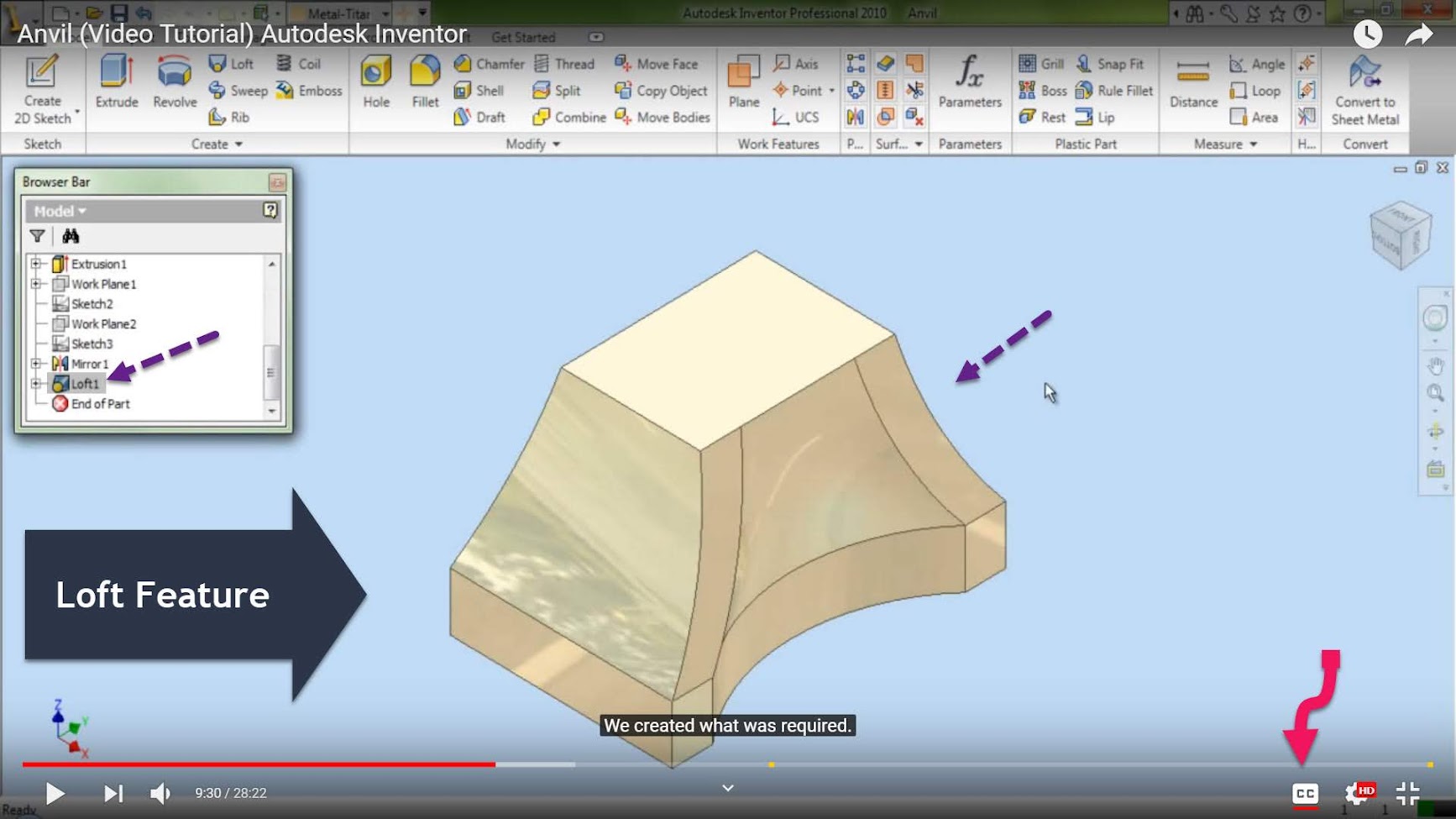
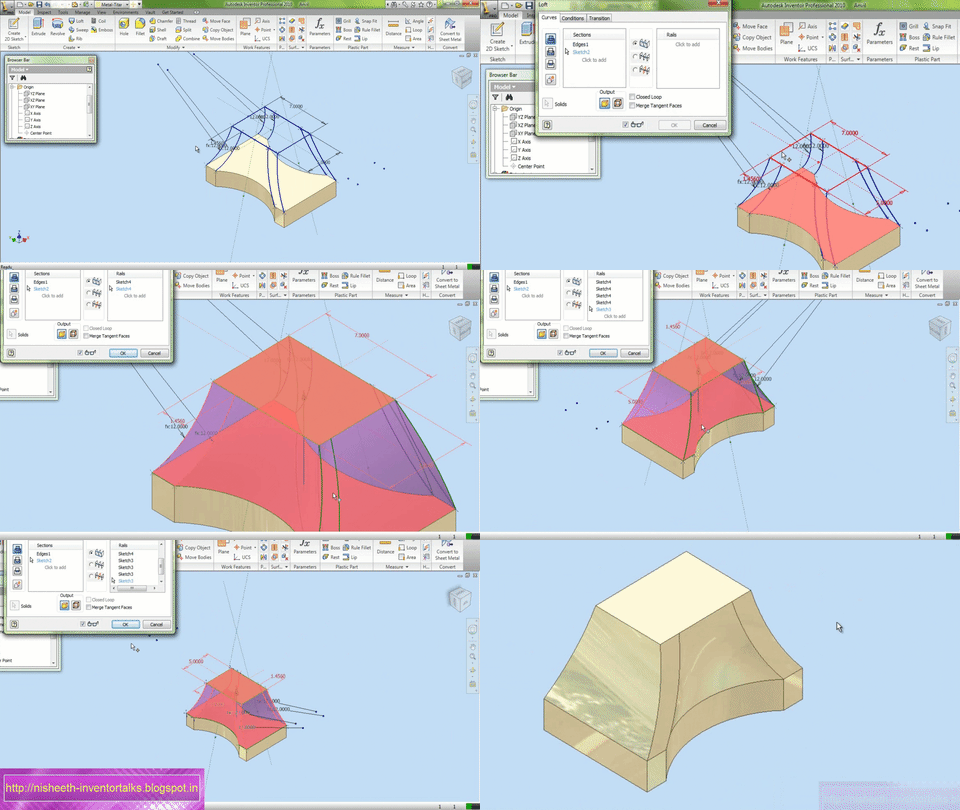
     In this Autodesk Inventor tutorial, we will observe as well as learn the application of Loft Tool. This feature is used, when we want to create a solid by joining more than one closed profile. The rails and points are also used in creating the loft feature that helps in controlling the final outcome.
For creating the loft feature first we will create a profile, then 8 rails. I doing so we will take the help of various 2D sketch features, user defined work planes and Mirror Tool of the software.

Video:--


This loft feature example is taken from our tutorial related to the modelling of Anvil where more complex loft features have been used.


Related Blog Post


…………………………………………………………

Another Loft Tutorial:--


Please check out some more works by us on Autodesk Inventor below--  

Basic tutorials on Autodesk Inventor by us:—(YouTube Playlist of more than 15 videos.)


Detailed tutorials on Autodesk Inventor by us:—(YouTube Playlist of more than 150 videos.)


Hope all of you enjoyed the tutorial. If you find the video useful please like it and share it with your friends/colleagues and do not forget to Subscribe us to get latest updates about our new uploads.

Click to Subscribe us on YouTube

Dear Viewers if you like our work and wanted to support us, to keep continuing the good work, then become a patron of ours at ‘Patreon’ site. Patreon is a simple way for you to contribute to the creator’s work every month/ every time they release their new work and get rewards in return. Please visit the following link to know all about our work and what we are offering as a reward to our patrons…

Monday, December 31, 2018

Engine Valve || Autodesk Inventor Tutorial

Engine Valve--Autodesk Inventor Tutorial

In this Inventor Tutorial, we will create a model of Engine Valve. While creating this model we will observe as well as learn various part modeling techniques of Autodesk Inventor software.
....................................................................................
The model designing concept is taken from videos available on YouTube.
....................................................................................

download-Link 

Visit the following link to get the model file…

http://bit.ly/32QRwQW


...................................................

Visit the following link to watch the basic tutorial on Autodesk Inventor by us

https://www.youtube.com/playlist?list=PLb-IhKRMYSERYpB48aY-sZ10fN6CfXIL4

.........................................................................

To watch detailed tutorials on the same software visit the following link

https://www.youtube.com/playlist?list=PL74BDF7431ED13443

..........................................................................................

Hope all of you enjoyed the tutorial. If you find the video useful please like it and share it with your friends/colleagues and do not forget to subscribe us to get latest updates about our new uploads.

http://www.youtube.com/user/nisheethsorjm?sub_confirmation=1

....................................................................................................

Dear Viewers if you like our work and wanted to support us, to keep continuing the good work, then become a patron of ours at ‘Patreon’ site. Patreon is a simple way for you to contribute to the creator’s work every month/ every time they release their new work and get rewards in return. Please visit the following link to know all about our work and what we are offering as the reward to our patrons…

https://www.patreon.com/nisheethsri

Friday, December 21, 2018

Camshaft || Autodesk Inventor Tutorial

Cam Shaft-Autodesk Inventor-1 (Time 0_00_22;20)

In this Inventor Tutorial, we will create a model of Camshaft. To create this model we will adopt the multi-body part approach and use Copy Object and Move Bodies tool.
....................................................................................
The model designing concept is taken from videos available on YouTube.
....................................................................................

download-Link


Visit the following link to get the model file…

http://bit.ly/2Jtp3Jz


Basic tutorials on Autodesk Inventor by us:—(YouTube Playlist of more than 15 videos.)


Detailed tutorials on Autodesk Inventor by us:—(YouTube Playlist of more than 150 videos.)


Hope all of you enjoyed the tutorial. If you find the video useful please like it and share it with your friends/colleagues and do not forget to Subscribe us to get latest updates about our new uploads.

Click to Subscribe us on YouTube


Dear Viewers if you like our work and wanted to support us, to keep continuing the good work, then become a patron of ours at ‘Patreon’ site. Patreon is a simple way for you to contribute to the creator’s work every month/ every time they release their new work and get rewards in return. Please visit the following link to know all about our work and what we are offering as a reward to our patrons…


Thursday, September 13, 2018

Engine Air Filter || Autodesk Inventor Tutorial

Engine Air Filter- Autodesk Inventor Tutorial

In this Inventor Tutorial, we will create a model of Engine Air Filter. While creating this model we will observe as well as learn various part modeling techniques of Autodesk Inventor software.

....................................................................................
The model designing concept is taken from videos available on YouTube.
....................................................................................

download-Link 

Visit the following link to get the model file…

http://bit.ly/2Wjci9z


...................................................

Visit the following link to watch the basic tutorial on Autodesk Inventor by us

https://www.youtube.com/playlist?list=PLb-IhKRMYSERYpB48aY-sZ10fN6CfXIL4
.........................................................................

To watch detailed tutorials on the same software visit the following link

https://www.youtube.com/playlist?list=PL74BDF7431ED13443
..........................................................................................

Hope all of you enjoyed the tutorial. If you find the video useful please like it and share it with your friends/colleagues and do not forget to subscribe us to get latest updates about our new uploads.

http://www.youtube.com/user/nisheethsorjm?sub_confirmation=1
....................................................................................................

Dear Viewers if you like our work and wanted to support us, to keep continuing the good work, then become a patron of ours at ‘Patreon’ site. Patreon is a simple way for you to contribute to the creator’s work every month/ every time they release their new work and get rewards in return. Please visit the following link to know all about our work and what we are offering as the reward to our patrons…

https://www.patreon.com/nisheethsri

Tuesday, August 28, 2018

Engine Exhaust Manifold || Autodesk Inventor Tutorial

Engine Exhaust Manifold_1

In this Inventor Tutorial, we will create a model of Engine Exhaust Manifold and its mirror part using Derived Component tool of the software. While creating this model we will observe as well as learn various part modeling techniques of Autodesk Inventor software.
....................................................................................
The model designing concept is taken from videos available on YouTube.
....................................................................................

Important :--There is a correction in the Shell Thickness feature of the model. The thickness is 3 mm instead of 1 mm.

download-Link 

Visit the following link to get the model file…

http://bit.ly/2Ply8rz


...................................................

Visit the following link to watch the basic tutorial on Autodesk Inventor by us

https://www.youtube.com/playlist?list=PLb-IhKRMYSERYpB48aY-sZ10fN6CfXIL4
.........................................................................

To watch detailed tutorials on the same software visit the following link

https://www.youtube.com/playlist?list=PL74BDF7431ED13443
..........................................................................................

Hope all of you enjoyed the tutorial. If you find the video useful please like it and share it with your friends/colleagues and do not forget to subscribe us to get latest updates about our new uploads.

http://www.youtube.com/user/nisheethsorjm?sub_confirmation=1
....................................................................................................

Dear Viewers if you like our work and wanted to support us, to keep continuing the good work, then become a patron of ours at ‘Patreon’ site. Patreon is a simple way for you to contribute to the creator’s work every month/ every time they release their new work and get rewards in return. Please visit the following link to know all about our work and what we are offering as the reward to our patrons…

https://www.patreon.com/nisheethsri

Wednesday, August 8, 2018

Engine Cylinder Head || Autodesk Inventor Tutorial

Engine Cylinder Head

In this Inventor Tutorial, we will create a model of Engine Cylinder Head. While creating this model we will observe as well as learn various part modelling techniques of Autodesk Inventor software.
....................................................................................
Model designing concept is taken from videos available over YouTube.
...................................................................................

download-Link 
Visit the following link to get the model file…
http://bit.ly/34ghSwd


...................................................

Visit the following link to watch basic tutorial on Autodesk Inventor by us
https://www.youtube.com/playlist?list=PLb-IhKRMYSERYpB48aY-sZ10fN6CfXIL4
.........................................................................

To watch detailed tutorials on the same software visit the following link
https://www.youtube.com/playlist?list=PL74BDF7431ED13443
..........................................................................................

Hope all of you enjoyed the tutorial. If you find the video useful please like it and share it with your friends/colleagues and do not forget to Subscribe us to get latest updates about our new uploads.
http://www.youtube.com/user/nisheethsorjm?sub_confirmation=1
....................................................................................................

Dear Viewers if you like our work and wanted to support us, in keep continuing the good work, then become a patron of ours at ‘Patreon’ site. Patreon is a simple way for you to contribute to creator’s work every month/ every time they release their new work and get rewards in return. Please visit following link to know all about our work and what we are offering as reward to our patrons…
https://www.patreon.com/nisheethsri

Thursday, July 5, 2018

Engine Rocker Arm Assembly || Autodesk Inventor Tutorial

Rocker Arm Assembly

In this Inventor Tutorial, we will create an assembly of Rocker Arm which is a component of Engine. While creating this model we will observe as well as learn various part and assembly modelling techniques of Autodesk Inventor software. First components of assembly named Rocker Arm Pin_1 & 2, Rocker Arm Roll and Rocker Arm and later with the help of them the final assembly will be created.
....................................................................................
The model designing concept is taken from videos available on YouTube.
....................................................................................

download-Link 
Visit the following link to get the model file…

http://bit.ly/2q183TV


...................................................

Visit the following link to watch basic tutorials on Autodesk Inventor by us

https://www.youtube.com/playlist?list=PLb-IhKRMYSERYpB48aY-sZ10fN6CfXIL4
.........................................................................

To watch detailed tutorials on the same software visit the following link

https://www.youtube.com/playlist?list=PL74BDF7431ED13443
..........................................................................................

Hope all of you enjoyed the tutorial. If you find the video useful please like it and share it with your friends/colleagues and do not forget to Subscribe us to get latest updates about our new uploads.

http://www.youtube.com/user/nisheethsorjm?sub_confirmation=1
....................................................................................................

Dear Viewers if you like our work and wanted to support us, in keep continuing the good work, then become a patron of ours at ‘Patreon’ site. Patreon is a simple way for you to contribute to creator’s work every month/ every time they release their new work and get rewards in return. Please visit the following link to know all about our work and what we are offering as a reward to our patrons…

https://www.patreon.com/nisheethsri

Tuesday, May 8, 2018

Engine Block || Autodesk Inventor Tutorial

Engine Block Autodesk Inventor (Time 0_00_02;00)

In this Inventor Tutorial, we will create a model of Engine Block which is a component of Engine assembly. While creating this model we will observe as well as learn various part modelling techniques of Autodesk Inventor software.
....................................................................................
The model designing concept is taken from videos available on YouTube.
....................................................................................

download-Link


Visit the following link to get the model file…

  http://bit.ly/36fu8yC


...................................................

Visit the following link to watch basic tutorial on Autodesk Inventor by us

https://www.youtube.com/playlist?list=PLb-IhKRMYSERYpB48aY-sZ10fN6CfXIL4

.........................................................................

To watch detailed tutorials on the same software visit the following link

https://www.youtube.com/playlist?list=PL74BDF7431ED13443

..........................................................................................

Hope all of you enjoyed the tutorial. If you find the video useful please like it and share it with your friends/colleagues and do not forget to Subscribe us to get latest updates about our new uploads.

http://www.youtube.com/user/nisheethsorjm?sub_confirmation=1

....................................................................................................

Dear Viewers if you like our work and wanted to support us, in keep continuing the good work, then become a patron of ours at ‘Patreon’ site. Patreon is a simple way for you to contribute to creator’s work every month/ every time they release their new work and get rewards in return. Please visit following link to know all about our work and what we are offering as reward to our patrons…

https://www.patreon.com/nisheethsri

Thursday, April 19, 2018

Golf Ball || Autodesk Inventor Tutorial


In this Inventor Tutorial, we will create a model of Golf Ball. While creating this model we will learn how to use Revolve and Circular Pattern tool efficiently.

....................................................................................
Model designing concept is taken from videos available over YouTube.
....................................................................................

download-Link
Visit the following link to get the model file…

http://bit.ly/2poZ6Un


...................................................

Visit the following link to watch basic tutorial on Autodesk Inventor by us

https://www.youtube.com/playlist?list=PLb-IhKRMYSERYpB48aY-sZ10fN6CfXIL4

.........................................................................

To watch detailed tutorials on the same software visit the following link

https://www.youtube.com/playlist?list=PL74BDF7431ED13443

..........................................................................................

Hope all of you enjoyed the tutorial. If you find the video useful please like it and share it with your friends/colleagues and do not forget to Subscribe us to get latest updates about our new uploads.

http://www.youtube.com/user/nisheethsorjm?sub_confirmation=1

....................................................................................................

Dear Viewers if you like our work and wanted to support us, in keep continuing the good work, then become a patron of ours at ‘Patreon’ site. Patreon is a simple way for you to contribute to creator’s work every month/ every time they release their new work and get rewards in return. Please visit following link to know all about our work and what we are offering as reward to our patrons…

https://www.patreon.com/nisheethsri