Showing posts with label (Video Tutorial). Show all posts

Wednesday, June 12, 2013

Modelling a Screw Driver (Autodesk Inventor) (playlist)


The above playlist consists of video tutorials showing how to model a Screw driver in Autodesk Inventor Software. First you will learn to model the front portion and afterward the handle.

Tuesday, April 2, 2013

Drive Constraint-Simulate Mechanical Motion (Autodesk Inventor)

Drive Constraint Dialogue Box You can simulate mechanical motion by driving a constraint through a beginning position and an ending position according to the intent of design. Generally offset and angle constraints are selected to drive components within an assembly.

To begin, select a constrain in the browser, right-click the constraint, and then select Drive Constraint from the context menu. The Drive Constraint dialog box opens. In Start, enter the beginning value. In End, enter the ending value. Click more to set additional options.

Drive Constraint-Final

The videos present in the following playlist shows the application of drive constraint.

……………………………………………………………………………………………………………………………………………
Related Previous Posts

Bevel Gear-Drive Constraint Autodesk Inventor 2010

Helical Gear-Drive Constraint Autodesk Inventor 2010

Worm Gear-Drive Constraint Autodesk Inventor 2010

Rack and Pinion-Drive Constraint Autodesk Inventor 2010

Door (Panel with Frame) -Drive Constraint Autodesk Inventor 2010

Pipe Wrench-Drive Constraint Autodesk Inventor 2010

Thursday, May 17, 2012

Assembly Constraints and Degrees of Freedom (Autodesk Inventor)

The purpose of constraining components together in an assembly is to imitate (copy)  the behaviour of components in the real world. By giving constraints we remove degree of freedom of a part in the an assembly. Although it is not necessary to remove all degrees of freedom. We need as many as to properly position the part. See below how degrees of freedom works in sketch and assembly environment:-

First video

Second video
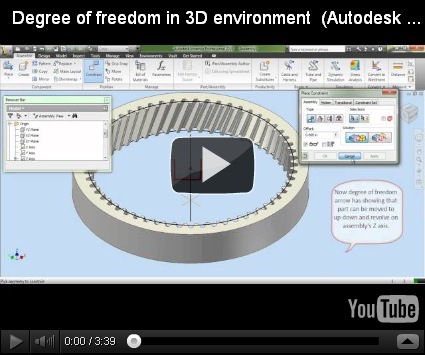
There is a new tool for degree of freedom Degree of Freedom Analysis to understand watch the following video.

Want to know more about this topic visit following link :-Degree of Freedom Analysis

Friday, May 4, 2012

Setting Application Options and Creating a Template File in Autodesk Inverntor

There are many setting which allow us to customize the work environment in Autodesk Inventor.
In the following video I will show which Application Option setting we are using that is visible in our videos tutorials most of the time. People many a times ask us why your design window is different and what My Preference .ipt is. By applying the settings displayed in the video your design window will be the same as ours.

The current background setting of our design windows is different and we keep changing it according to our mood....:)

Thursday, May 12, 2011

Component Generators-Spur Gears (Autodesk Inventor 2012)


Component Generators-Spur Gears (Autodesk Inventor 2012)
With the help of Component Generators any type of gears can be created in Autodesk Inventor.
It is very useful feature of this software. Watch the video to know how it works.

Watch the following videos these are new addition:-


This video is inspired from the Skill Builders Examples available on the official web sight of Autodesk Inventor Software. To properly understand the Component Generator's Supur Gear function visit the following link:-
http://usa.autodesk.com/adsk/servlet/item?siteID=123112&id=10008317


This video is inspired from the Book Autodesk Inventor 2012 Essentials. Read the book to understand it more clearly.Visit the following link to know about the book:---
http://nisheeth-inventortalks.blogspot.in/p/other-learning-resources.html

This video is inspired from the Book Mastering Autodesk Inventor 2012. Read the book to understand it more clearly.Visit the following link to know about the book:---
http://nisheeth-inventortalks.blogspot.in/p/other-learning-resources.html

Saturday, April 16, 2011

Helical Gear (Internal)-Dynamic Simulation through Autodesk Inventor 2010


Following video will explain about Dynamic Simulation of Autodesk Inventor 2010. See how after giving the proper constraints, the gears can be Animated.

Helical-Gear-(Internal)-Dynamic-Simulation 
 

HD Link for this video

To download the finished file, visit the following link:-- http://www.mediafire.com/?32pc9d8s2iabvqk