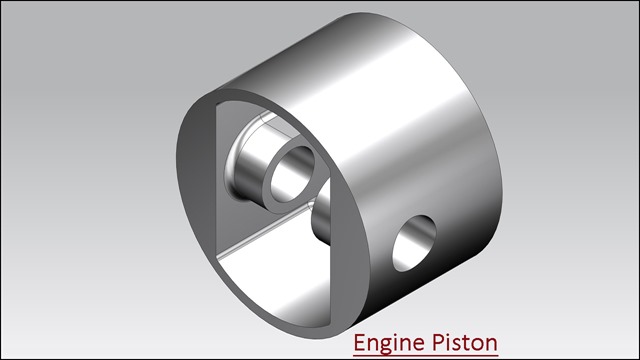
Serial No. 104-A.
Engine MKII (Volume-1) Solid Edge ST9 Tutorial
Engine MKII (Volume-1) Solid Edge Tutorial
The Design of this model has been taken from Assembly file of 'Rear Exhaust-2 Shoe' of ‘Sample files’ of Autodesk Inventor, it is a fragment of ‘Engine MKII’ Assembly.
(Rest of the Assembly is designed in Volume-2)
Rest components of the model ‘Engine MKII Assembly’ (consisting of several numbers) have also been designed. You may watch them by visiting on the following playlist:-
https://www.youtube.com/playlist?list=PLKWX3xUP3pPrb1bU6P_goEUCMvcfTuqtI
.................................................................................
In this Solid Edge ST9 Assembly tutorial, we have created a model named ‘Engine MKII’. The Assembly consist of 2 Subassemblies and 38 parts that are positioned according to design intent by using Assembly Constraints. Tutorial watch how an assembly of engine components is created by using different mates. The animation of internal components is also accomplished after setting all the components.
To complete this tutorial, first get the files used for creating the assembly.
This tutorial will give you a good practice of applying constraints in an assembly and give you an idea of Engine mechanism.
The video covers following assembly modelling techniques:--
_____________________________________________________________
• Use the Assembly commands such as Insert Components, Mate, and Drag Component with Triad tools etc.
• 38 Parts will be inserted with the help of ‘Insert Component’ tool.
• Use the Mate, Planer Align, Connect and Angle constraints between the two components etc.
• Check the interference between the two components by using ‘Check Interference’ tool.
• Save different state views of an assembly the internal components of engine easily by using the ‘Alternate Assemblies command.
• Animate the internal components like a piston, crank shaft, connecting rod of Engine with the help of Rotational Motor command in the Simulate Motor environment.
The Design of this model has been taken from Assembly file of 'Rear Exhaust-2 Shoe' of ‘Sample files’ of Autodesk Inventor, it is a fragment of ‘Engine MKII’ Assembly.
(Rest of the Assembly is designed in Volume-2)
Rest components of the model ‘Engine MKII Assembly’ (consisting of several numbers) have also been designed. You may watch them by visiting on the following playlist:-
https://www.youtube.com/playlist?list=PLKWX3xUP3pPrb1bU6P_goEUCMvcfTuqtI
.................................................................................
In this Solid Edge ST9 Assembly tutorial, we have created a model named ‘Engine MKII’. The Assembly consist of 2 Subassemblies and 38 parts that are positioned according to design intent by using Assembly Constraints. Tutorial watch how an assembly of engine components is created by using different mates. The animation of internal components is also accomplished after setting all the components.
To complete this tutorial, first get the files used for creating the assembly.
This tutorial will give you a good practice of applying constraints in an assembly and give you an idea of Engine mechanism.
The video covers following assembly modelling techniques:--
_____________________________________________________________
• Use the Assembly commands such as Insert Components, Mate, and Drag Component with Triad tools etc.
• 38 Parts will be inserted with the help of ‘Insert Component’ tool.
• Use the Mate, Planer Align, Connect and Angle constraints between the two components etc.
• Check the interference between the two components by using ‘Check Interference’ tool.
• Save different state views of an assembly the internal components of engine easily by using the ‘Alternate Assemblies command.
• Animate the internal components like a piston, crank shaft, connecting rod of Engine with the help of Rotational Motor command in the Simulate Motor environment.