Today we will create a model 'Suspension Spring' in Siemens NX 1855 software. Which is taken of our model Suspension Assembly. Full assembly video in two volumes and the link is on here:- (1) https://youtu.be/dxgYN2V_Vkg (2) https://youtu.be/6yAJFXq07ag
......................................................................... Visit the following link to watch more tutorial on Siemens NX by us https://www.youtube.com/playlist?list=PLKWX3xUP3pPpUvtPuzEPoHimjTjpdbl_Q ......................................................................... Hope all of you enjoyed the tutorial. If you find the video useful please like it and share it with your friends/colleagues and do not forget to subscribe me to get latest updates about my new uploads…. http://www.youtube.com/user/nisheethsorjm?sub_confirmation=1 .................................................................................................... Dear Viewers if you like our work and wanted to support us, to keep continuing the good work, then become a patron of ours at ‘Patreon’ site. Patreon is a simple way for you to contribute to the creator’s work every month/ every time they release their new work and get rewards in return. Please visit the following link to know all about our work and what we are offering as the reward to our patrons… https://www.patreon.com/nisheethsri ...............................................................…
......................................................................... Visit the following link to watch more tutorial on Siemens NX by us https://www.youtube.com/playlist?list=PLKWX3xUP3pPpUvtPuzEPoHimjTjpdbl_Q ......................................................................... Hope all of you enjoyed the tutorial. If you find the video useful please like it and share it with your friends/colleagues and do not forget to subscribe me to get latest updates about my new uploads…. http://www.youtube.com/user/nisheethsorjm?sub_confirmation=1 .................................................................................................... Dear Viewers if you like our work and wanted to support us, to keep continuing the good work, then become a patron of ours at ‘Patreon’ site. Patreon is a simple way for you to contribute to the creator’s work every month/ every time they release their new work and get rewards in return. Please visit the following link to know all about our work and what we are offering as the reward to our patrons… https://www.patreon.com/nisheethsri ...............................................................…
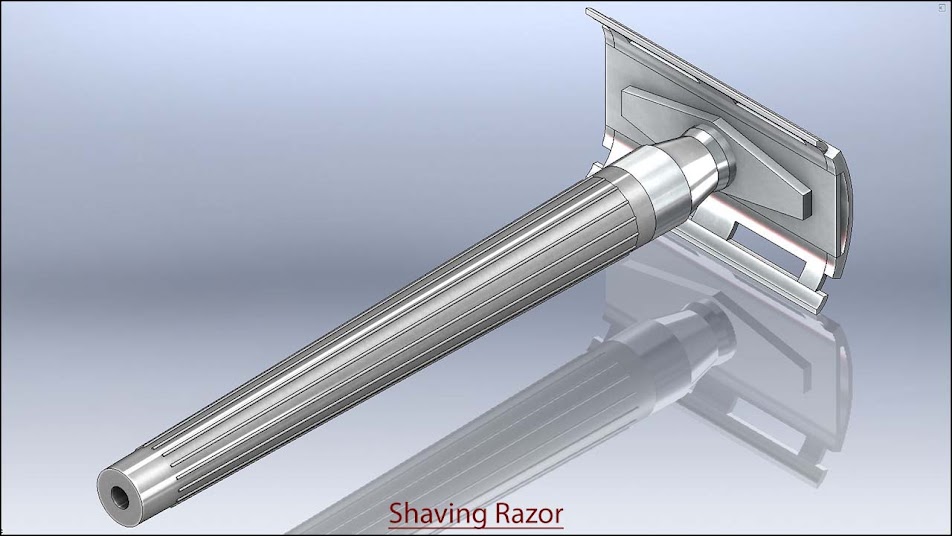
Inside this video, we will demonstrate how to create a model 'Shaving Razor' in Siemens NX Software. You may also learn basic part modelling, Top-down Assembly modelling, assembly mates etc.
......................................................................... Visit the following link to watch more tutorial on Siemens NX by us https://www.youtube.com/playlist?list=PLKWX3xUP3pPpUvtPuzEPoHimjTjpdbl_Q ......................................................................... Hope all of you enjoyed the tutorial. If you find the video useful please like it and share it with your friends/colleagues and do not forget to subscribe me to get latest updates about my new uploads…. http://www.youtube.com/user/nisheethsorjm?sub_confirmation=1 .................................................................................................... Dear Viewers if you like our work and wanted to support us, to keep continuing the good work, then become a patron of ours at ‘Patreon’ site. Patreon is a simple way for you to contribute to the creator’s work every month/ every time they release their new work and get rewards in return. Please visit the following link to know all about our work and what we are offering as the reward to our patrons… https://www.patreon.com/nisheethsri ..................................................................
......................................................................... Visit the following link to watch more tutorial on Siemens NX by us https://www.youtube.com/playlist?list=PLKWX3xUP3pPpUvtPuzEPoHimjTjpdbl_Q ......................................................................... Hope all of you enjoyed the tutorial. If you find the video useful please like it and share it with your friends/colleagues and do not forget to subscribe me to get latest updates about my new uploads…. http://www.youtube.com/user/nisheethsorjm?sub_confirmation=1 .................................................................................................... Dear Viewers if you like our work and wanted to support us, to keep continuing the good work, then become a patron of ours at ‘Patreon’ site. Patreon is a simple way for you to contribute to the creator’s work every month/ every time they release their new work and get rewards in return. Please visit the following link to know all about our work and what we are offering as the reward to our patrons… https://www.patreon.com/nisheethsri ..................................................................
Rectangular_Tub through Sheet Metal || Siemens NX 1855 Tutorial
Inside this video, we will demonstrate to you how to create a model 'Rectangular_Tub' by using sheet metal designing through Siemens NX Software. ........................................................................................................... In this lesson, you create a sheet metal part. This lesson demonstrates: • How to create a custom 'Sheet Metal default settings' before start the sheet metal designing. • Creating a Tab • Adding a Flange • Adding a Contour Flange. • Adding a Mitre flange by using Contour Flange command. • Mirroring a feature. • Adding a cut over the contour flange by using 'Normal Cut-out' command. • Create a flat pattern feature from the form sheet metal part.
......................................................................... Visit the following link to watch more tutorial on Siemens NX by us https://www.youtube.com/playlist?list=PLKWX3xUP3pPpUvtPuzEPoHimjTjpdbl_Q ......................................................................... Hope all of you enjoyed the tutorial. If you find the video useful please like it and share it with your friends/colleagues and do not forget to subscribe me to get latest updates about my new uploads…. http://www.youtube.com/user/nisheethsorjm?sub_confirmation=1 .................................................................................................... Dear Viewers if you like our work and wanted to support us, to keep continuing the good work, then become a patron of ours at ‘Patreon’ site. Patreon is a simple way for you to contribute to the creator’s work every month/ every time they release their new work and get rewards in return. Please visit the following link to know all about our work and what we are offering as the reward to our patrons… https://www.patreon.com/nisheethsri ..................................................................
......................................................................... Visit the following link to watch more tutorial on Siemens NX by us https://www.youtube.com/playlist?list=PLKWX3xUP3pPpUvtPuzEPoHimjTjpdbl_Q ......................................................................... Hope all of you enjoyed the tutorial. If you find the video useful please like it and share it with your friends/colleagues and do not forget to subscribe me to get latest updates about my new uploads…. http://www.youtube.com/user/nisheethsorjm?sub_confirmation=1 .................................................................................................... Dear Viewers if you like our work and wanted to support us, to keep continuing the good work, then become a patron of ours at ‘Patreon’ site. Patreon is a simple way for you to contribute to the creator’s work every month/ every time they release their new work and get rewards in return. Please visit the following link to know all about our work and what we are offering as the reward to our patrons… https://www.patreon.com/nisheethsri ..................................................................
......................................................................... Visit the following link to watch more tutorial on Siemens NX by us https://www.youtube.com/playlist?list=PLKWX3xUP3pPpUvtPuzEPoHimjTjpdbl_Q ......................................................................... Hope all of you enjoyed the tutorial. If you find the video useful please like it and share it with your friends/colleagues and do not forget to subscribe me to get latest updates about my new uploads…. http://www.youtube.com/user/nisheethsorjm?sub_confirmation=1 .................................................................................................... Dear Viewers if you like our work and wanted to support us, to keep continuing the good work, then become a patron of ours at ‘Patreon’ site. Patreon is a simple way for you to contribute to the creator’s work every month/ every time they release their new work and get rewards in return. Please visit the following link to know all about our work and what we are offering as the reward to our patrons… https://www.patreon.com/nisheethsri ..................................................................
(Rest of the model is designed in Volume-2 & 3) ......................................................................................... Dear Viewers, In this video we will show how to create 'Vernier Caliper' in Siemens NX 1855 Software. This model contains two Subassemblies first Linear Scale subassembly and second Vernier scale subassembly. Ten-part files like Linear Scale, Vernier scale, Sliding Jaw, Finger Hook, Strip for depth measurement will be used to build this model . Hope you will enjoy this tutorial. Please subscribe to our channel to get the latest updates and share this video their friends and colleagues.
Procedure of reading of Vernier Caliper in Millimetre Scale Total number of divisions imprinted on Linear Scale = 150 Total number of divisions imprinted on Vernier Scale = 50 Pitch of Linear Scale = total length of Linear scale/total number of divisions imprinted on Linear scale = 150 mm / 150 = 1 mm Least count of Vernier Scale = Pitch of Linear scale / Total number of divisions on Vernier Scale = 1 mm / 50 = 0.02 mm Reading of Linear Scale = Pitch of Linear scale x Number of divisions on Linear Scale just before the zero of Vernier Scale = 1 mm x 12 = 12 mm Reading of Vernier Scale = Least count of Vernier Scale x Number of divisions of Vernier Scale aligned with the marking of Linear Scale = 0.02 mm x 28 = 0.56 mm Total Reading = Reading of Linear Scale + Reading of Vernier Scale = 12 mm + 0.56 mm = 12.56 mm = 1.256 cm __________________________________________________________________ Procedure of reading of Vernier Caliper in Inch Scale Total number of divisions imprinted on Linear Scale = 240 Total number of divisions imprinted on Vernier Scale = 25 Pitch of Linear Scale = total length of Linear scale/total number of divisions imprinted on Linear scale = 6 inch / 240= 0.025 inch Least count of Vernier Scale = Pitch of Linear Scale / Total number of divisions on Vernier scale = 0.025 inch / 25 = 0.001 inch Reading of Linear Scale = Pitch of Linear scale x Number of divisions on Linear Scale just before the zero of Vernier Scale = 0.025 inch x 45 = 1.125 inch Reading of Vernier Scale = Least count of Vernier Scale x Number of divisions of Vernier Scale aligned with the marking of Linear Scale = 0.001 inch x 14 = 0.014 inch Total Reading = Reading of Linear Scale + Reading of Vernier Scale = 1.125 inch + 0.014 inch = 1.139 inch
........................................................................ Visit the following link to watch more tutorial on Siemens NX by us https://www.youtube.com/playlist?list=PLKWX3xUP3pPpUvtPuzEPoHimjTjpdbl_Q ......................................................................... Hope all of you enjoyed the tutorial. If you find the video useful please like it and share it with your friends/colleagues and do not forget to subscribe me to get latest updates about my new uploads…. http://www.youtube.com/user/nisheethsorjm?sub_confirmation=1 .................................................................................................... Dear Viewers if you like our work and wanted to support us, to keep continuing the good work, then become a patron of ours at ‘Patreon’ site. Patreon is a simple way for you to contribute to the creator’s work every month/ every time they release their new work and get rewards in return. Please visit the following link to know all about our work and what we are offering as the reward to our patrons… https://www.patreon.com/nisheethsri ...............................................................
(Rest of the model is designed in Volume-1 & 3) ......................................................................................... Dear Viewers, In this video we will show how to create 'Vernier Caliper' in Siemens NX 1855 Software. This model contains two Subassemblies first Linear Scale subassembly and second Vernier scale subassembly. Ten-part files like Linear Scale, Vernier scale, Sliding Jaw, Finger Hook, Strip for depth measurement will be used to build this model . Hope you will enjoy this tutorial. Please subscribe to our channel to get the latest updates and share this video their friends and colleagues.
Procedure of reading of Vernier Caliper in Millimetre Scale Total number of divisions imprinted on Linear Scale = 150 Total number of divisions imprinted on Vernier Scale = 50 Pitch of Linear Scale = total length of Linear scale/total number of divisions imprinted on Linear scale = 150 mm / 150 = 1 mm Least count of Vernier Scale = Pitch of Linear scale / Total number of divisions on Vernier Scale = 1 mm / 50 = 0.02 mm Reading of Linear Scale = Pitch of Linear scale x Number of divisions on Linear Scale just before the zero of Vernier Scale = 1 mm x 12 = 12 mm Reading of Vernier Scale = Least count of Vernier Scale x Number of divisions of Vernier Scale aligned with the marking of Linear Scale = 0.02 mm x 28 = 0.56 mm Total Reading = Reading of Linear Scale + Reading of Vernier Scale = 12 mm + 0.56 mm = 12.56 mm = 1.256 cm __________________________________________________________________ Procedure of reading of Vernier Caliper in Inch Scale Total number of divisions imprinted on Linear Scale = 240 Total number of divisions imprinted on Vernier Scale = 25 Pitch of Linear Scale = total length of Linear scale/total number of divisions imprinted on Linear scale = 6 inch / 240= 0.025 inch Least count of Vernier Scale = Pitch of Linear Scale / Total number of divisions on Vernier scale = 0.025 inch / 25 = 0.001 inch Reading of Linear Scale = Pitch of Linear scale x Number of divisions on Linear Scale just before the zero of Vernier Scale = 0.025 inch x 45 = 1.125 inch Reading of Vernier Scale = Least count of Vernier Scale x Number of divisions of Vernier Scale aligned with the marking of Linear Scale = 0.001 inch x 14 = 0.014 inch Total Reading = Reading of Linear Scale + Reading of Vernier Scale = 1.125 inch + 0.014 inch = 1.139 inch
........................................................................ Visit the following link to watch more tutorial on Siemens NX by us https://www.youtube.com/playlist?list=PLKWX3xUP3pPpUvtPuzEPoHimjTjpdbl_Q ......................................................................... Hope all of you enjoyed the tutorial. If you find the video useful please like it and share it with your friends/colleagues and do not forget to subscribe me to get latest updates about my new uploads…. http://www.youtube.com/user/nisheethsorjm?sub_confirmation=1 .................................................................................................... Dear Viewers if you like our work and wanted to support us, to keep continuing the good work, then become a patron of ours at ‘Patreon’ site. Patreon is a simple way for you to contribute to the creator’s work every month/ every time they release their new work and get rewards in return. Please visit the following link to know all about our work and what we are offering as the reward to our patrons… https://www.patreon.com/nisheethsri ...............................................................
Vernier Caliper (Volume-3) Siemens NX 1855 Tutorial (Rest of the model is designed in Volume-1 & 2) ......................................................................................... Dear Viewers, In this video we will show how to create 'Vernier Caliper' in Siemens NX 1855 Software. This model contains two Subassemblies first Linear Scale subassembly and second Vernier scale subassembly. Ten-part files like Linear Scale, Vernier scale, Sliding Jaw, Finger Hook, Strip for depth measurement will be used to build this model . Hope you will enjoy this tutorial. Please subscribe to our channel to get the latest updates and share this video their friends and colleagues.
Procedure of reading of Vernier Caliper in Millimetre Scale Total number of divisions imprinted on Linear Scale = 150 Total number of divisions imprinted on Vernier Scale = 50 Pitch of Linear Scale = total length of Linear scale/total number of divisions imprinted on Linear scale = 150 mm / 150 = 1 mm Least count of Vernier Scale = Pitch of Linear scale / Total number of divisions on Vernier Scale = 1 mm / 50 = 0.02 mm Reading of Linear Scale = Pitch of Linear scale x Number of divisions on Linear Scale just before the zero of Vernier Scale = 1 mm x 12 = 12 mm Reading of Vernier Scale = Least count of Vernier Scale x Number of divisions of Vernier Scale aligned with the marking of Linear Scale = 0.02 mm x 28 = 0.56 mm Total Reading = Reading of Linear Scale + Reading of Vernier Scale = 12 mm + 0.56 mm = 12.56 mm = 1.256 cm __________________________________________________________________ Procedure of reading of Vernier Caliper in Inch Scale Total number of divisions imprinted on Linear Scale = 240 Total number of divisions imprinted on Vernier Scale = 25 Pitch of Linear Scale = total length of Linear scale/total number of divisions imprinted on Linear scale = 6 inch / 240= 0.025 inch Least count of Vernier Scale = Pitch of Linear Scale / Total number of divisions on Vernier scale = 0.025 inch / 25 = 0.001 inch Reading of Linear Scale = Pitch of Linear scale x Number of divisions on Linear Scale just before the zero of Vernier Scale = 0.025 inch x 45 = 1.125 inch Reading of Vernier Scale = Least count of Vernier Scale x Number of divisions of Vernier Scale aligned with the marking of Linear Scale = 0.001 inch x 14 = 0.014 inch Total Reading = Reading of Linear Scale + Reading of Vernier Scale = 1.125 inch + 0.014 inch = 1.139 inch
........................................................................ Visit the following link to watch more tutorial on Siemens NX by us https://www.youtube.com/playlist?list=PLKWX3xUP3pPpUvtPuzEPoHimjTjpdbl_Q ......................................................................... Hope all of you enjoyed the tutorial. If you find the video useful please like it and share it with your friends/colleagues and do not forget to subscribe me to get latest updates about my new uploads…. http://www.youtube.com/user/nisheethsorjm?sub_confirmation=1 .................................................................................................... Dear Viewers if you like our work and wanted to support us, to keep continuing the good work, then become a patron of ours at ‘Patreon’ site. Patreon is a simple way for you to contribute to the creator’s work every month/ every time they release their new work and get rewards in return. Please visit the following link to know all about our work and what we are offering as the reward to our patrons… https://www.patreon.com/nisheethsri ...............................................................
Generation of Conic Section → Hyperbola (Siemens NX 1855 Tutorial)
In this video, we will demonstrate how to create a Hyperbola in Siemens NX 1855 tutorial, First of all, we will create a cone by using 2D sketch command and afterwards the cone will be cut at an offset distance value from the x-y plane. As well as mid-section of this video we will tell you how to automatically create a hyperbola by using 'Parabola Curve' command in this Software. Hope you will enjoy this tutorial. Please subscribe to our channel to get the latest updates and share this video their friends and colleagues.
................................................................................... Our motive to upload this video is to show our workability/experience and to share my knowledge with the viewers and learners. ......................................................................... Visit the following link to watch more tutorial on Siemens NX by us https://www.youtube.com/playlist?list=PLKWX3xUP3pPpUvtPuzEPoHimjTjpdbl_Q ......................................................................... Hope all of you enjoyed the tutorial. If you find the video useful please like it and share it with your friends/colleagues and do not forget to subscribe me to get latest updates about my new uploads…. http://www.youtube.com/user/nisheethsorjm?sub_confirmation=1 .................................................................................................... Dear Viewers if you like our work and wanted to support us, to keep continuing the good work, then become a patron of ours at ‘Patreon’ site. Patreon is a simple way for you to contribute to the creator’s work every month/ every time they release their new work and get rewards in return. Please visit the following link to know all about our work and what we are offering as the reward to our patrons… https://www.patreon.com/nisheethsri
Generation of Conic Section → Parabola (Siemens NX 1855 Tutorial)
In this video, we will demonstrate how to create a Parabola in Siemens NX 1855 tutorial, First of all, we will create a cone by using 2D sketch command and afterwards the cone will be cut between two parallel planes along its conical surface. As well as mid-section of this video we will tell you how to automatically create a parabola by using 'Parabola Curve' command in this Software. Hope you will enjoy this tutorial. Please subscribe to our channel to get the latest updates and share this video their friends and colleagues.
................................................................................... Our motive to upload this video is to show our workability/experience and to share my knowledge with the viewers and learners. ......................................................................... Visit the following link to watch more tutorial on Siemens NX by us https://www.youtube.com/playlist?list=PLKWX3xUP3pPpUvtPuzEPoHimjTjpdbl_Q ......................................................................... Hope all of you enjoyed the tutorial. If you find the video useful please like it and share it with your friends/colleagues and do not forget to subscribe me to get latest updates about my new uploads…. http://www.youtube.com/user/nisheethsorjm?sub_confirmation=1 .................................................................................................... Dear Viewers if you like our work and wanted to support us, to keep continuing the good work, then become a patron of ours at ‘Patreon’ site. Patreon is a simple way for you to contribute to the creator’s work every month/ every time they release their new work and get rewards in return. Please visit the following link to know all about our work and what we are offering as the reward to our patrons… https://www.patreon.com/nisheethsri